
If you are planning to host an event, you should use an event ticket template to make tickets for that event. Tickets will give your guests with evidence that you have invited them to attend your event. Since tickets add value to the whole setup so the guests can help set the tone for your event’s proceedings. By receiving tickets, they find out the most important information regarding your event.
What is an Event Ticket Template?
An event ticket template is a pre-designed layout used to create admission tickets for an event. It usually includes editable areas where the organizer can add information such as the event name, date, time, venue, ticket number, price, seating details, and contact information.
Instead of starting with a blank page, you begin with a structured design. This saves time and helps ensure that important details are not forgotten.
An event ticket template can be created and edited using programs and platforms such as:
- Microsoft Word
- Microsoft Publisher
- Adobe Photoshop
- Adobe Illustrator
- Canva
- Google Docs
- PowerPoint
- Online ticket-design tools
Templates may be designed for printing, digital distribution, mobile entry, or all three. Some templates are simple and decorative, while others include advanced features such as QR codes, barcodes, perforated sections, serial numbers, and security marks.
Why an Event Ticket Template Is Important
At first, it may seem that a ticket only needs to display the date and location. However, a ticket often creates one of the first physical or digital interactions between the attendee and the event.
A carefully designed event ticket template offers several important benefits.
Saves Time
Creating a ticket design from the beginning can take hours, especially when you are unsure about sizing, spacing, typography, or information placement.
A ready-made template gives you a clear starting point. You only need to replace the sample content with your event details, adjust the colors, add your logo, and prepare the final design.
This is especially helpful when you are managing an event alone or working with a small team.
Creates a Professional Impression
A poorly designed ticket can make an otherwise well-planned event appear unorganized. Incorrect alignment, missing information, unreadable fonts, or low-quality images can reduce trust.
A professional event ticket template helps create a polished and organized appearance. Guests are more likely to feel confident when the ticket clearly displays all necessary details.
Maintains Brand Consistency
Your ticket should feel connected to the rest of your event materials. If your posters, invitations, social media graphics, banners, and website use a particular color scheme, the ticket should follow the same visual style.
An ticket template allows you to add:
- Brand colors
- Event logo
- Sponsor logos
- Custom fonts
- Event graphics
- Social media handles
- Website information
This consistency makes your event look more established and memorable.
Reduces Information Errors
A template acts like a checklist. It includes dedicated areas for all the essential information, making it less likely that you will forget the venue, start time, entry conditions, or ticket number.
Of course, the final design must still be checked carefully before printing or sending it to attendees.
Improves Entry Management
Tickets can help staff confirm admission, organize seating, track attendance, and control access to different areas.
When a ticket contains a unique number, barcode, or QR code, it becomes easier to validate each guest at the entrance.
When to use event ticket templates?
You would see the words “admit one” If you have ever seen a ticket before. Generally, admit one means that the ticket only permits one person to enter the venue. Therefore, a group of guests should all have their own tickets in order to get in when they come to the door.
Furthermore, the event ticket template should designed properly. They are incorporated with all of relevant information. This would make it simple for your guests to gain access to your event or even give you their RSVP. According to the theme of your event, you can create your own tickets and customize them.
Some examples of event ticket templates are;
- For a sporting event, a sports ticket template
- For a birthday party, a party ticket template
- If you love hosting dinner parties, a dinner ticket template
An event ticket template is basically used to make your affair more formal. It keeps track of all your guests more effectively.
Where can you use an event ticket template?
Events are hosted by individuals, organizations, institutions, and more. They just have to decide what type of event they want to host. Then, they start planning from there. You can make your own tickets in order to make your event more official. You can give these tickets to your guests or sell them if you’re trying to raise some funds.
It isn’t difficult to make an admission ticket template. In fact, this is the easiest activity while planning an event. You may use such template in the following events;
- Carnival events
- Dance events
- Elegant events
- Event shows
- Multipurpose events
- Music concerts
- Night events
- Retro parties
- Special parties
- Summer parties
How to make an event ticket template?
At first, you should learn how to make an event ticket template before asking yourself how to print your tickets. By making a professional-looking admission ticket template, generate excitement for your event. Here are some pointers and steps that can help you in making an effective event ticket template;
Analyze your competitors tickets
Analyzing your competitor’s tickets is an essential step especially, when you’re planning to host an event during the holidays or during other times when a various events take place. Looking at your competitors’ tickets is always a good idea. This way, you can get ideas on what to include and what to avoid while making your template. Pay attention to the information, design, elements, and size while analyzing these tickets.
Include all of the relevant information
Keep in mind that the content is key as event ticket templates are typically small in size. You should include all of the relevant details by remaining creative and brief. A few important contents are listed below;
- The title of the event
- The venue of the event
- The date and time of the event
- The price of the ticket
The layout of your ticket
This is also considered as a very important element of your ticket. You have to ensure that the template you make looks attractive and exquisite. You can search for sample templates online. Also, you can download the event planning template from any website and then customize them.
The images and logos
In case, you are creating a ticket for an institution or a company, it is essential to add your logo as a visual reminder to the guests who will attend your event. You can also include different graphics or images as required. You just have to ensure that the design won’t look too crowded. Moreover, make sure the images won’t make the text unclear.
The color scheme
It doesn’t a challenge to find the best color scheme for your ticket. This particularly true in case your company has its own colors. Make the design of your ticket. For this, you should try to work with different color combinations. Select the colors that make the ticket look attractive. It doesn’t make the readers feel disinterested.
The size
Generally, the size of the ticket is based on the layout and the information written on the ticket. You can use an event ticket template or make one using your own size.
Make a variety of designs
You should come up with a couple of designs when you are designing your ticket. In this way, you can indicate your designs to the other event planners and identify which one is the best.
Essential Elements of an Event Ticket Template
The information included on a ticket depends on the type of event. However, most professional event ticket templates contain several common elements.
Event Name
The event name should be one of the most visible parts of the ticket. It should immediately tell the guest what the ticket is for.
Use a clear and noticeable font, but avoid making the name so large that it leaves no room for other important details.
Date and Time
The event date and starting time must be easy to find. You may also need to include:
- Door-opening time
- Registration time
- Event ending time
- Break or session times
- Time zone for virtual events
It is better to write the month in words when there is a possibility of date-format confusion. For example, “12 August 2026” is clearer for international audiences than “08/12/26.”
Venue Information
Include the full venue name and location. For large venues, you may also need to mention the entrance gate, hall number, floor, section, or room.
For online events, replace the physical venue with information such as “Virtual Event,” “Online Webinar,” or “Access Link Sent by Email.”
Ticket Type
If you are offering more than one ticket category, clearly identify the type. Examples include:
- General Admission
- VIP
- Early Bird
- Student Pass
- Premium Seating
- Backstage Access
- Weekend Pass
- One-Day Entry
- Staff Pass
- Media Pass
Different ticket categories can also use slightly different colors to help event staff recognize them quickly.
Ticket Price
You may include the ticket price when appropriate. For complimentary events, use terms such as “Free Entry,” “Complimentary,” or “Invitation Only.”
If fees or taxes are included, make sure the displayed price matches what the customer paid.
Ticket Number
A unique ticket number helps with record-keeping and entry control. It can be placed near the barcode, QR code, or detachable stub.
Avoid using the same number on multiple tickets unless the ticket is intended for group entry.
QR Code or Barcode
A QR code can connect the ticket to a registration record, digital pass, event page, payment confirmation, or check-in system.
Before distributing the ticket, test the code on multiple devices. A QR code that is too small, blurry, stretched, or placed over a busy background may not scan properly.
Attendee Name
Personalized tickets may include the guest’s name. This is useful for conferences, invitation-only gatherings, workshops, formal dinners, and events where tickets are non-transferable.
If identity verification is required, state it clearly in the terms and conditions.
Seating Information
For events with reserved seating, include the relevant details in a highly visible area:
- Section
- Row
- Seat number
- Table number
- Zone
- Gate
- Floor
These details should not be hidden in small text because attendees need to find them quickly.
Organizer Information
Add the organizer’s business name, logo, website, phone number, email address, or social media handle where necessary.
This gives attendees a way to ask questions or verify that the ticket is authentic.
Terms and Conditions
Important conditions may appear on the back or bottom of the ticket. These can include refund rules, age restrictions, entry requirements, prohibited items, transfer policies, or arrival instructions.
Keep this section readable and avoid adding unnecessary legal language that overwhelms the design.
How to Choose the Right Event Ticket Template
When choosing a template, I recommend looking beyond attractive colors and decorative graphics. The design must also work practically.
Match the Event Style
A business conference ticket should not look like a nightclub pass, and a children’s party ticket should not feel like a formal corporate invitation.
Think about the emotion you want the design to create. Should it feel exciting, elegant, luxurious, playful, professional, exclusive, or community-focused?
Consider How the Ticket Will Be Used
Will guests print the ticket at home, receive it at a sales counter, download it as a PDF, save it on a phone, or receive it through email?
A design that looks beautiful on a large computer screen may be difficult to read on a mobile device. Digital tickets need larger text, strong contrast, and scannable codes.
Printed tickets require proper dimensions, bleed settings, margins, and high-resolution graphics.
Check Customization Options
Make sure you can easily change the template’s text, colors, fonts, images, logo, ticket numbers, and QR codes.
Some free templates look attractive but offer limited editing options. Confirm that the file format is compatible with the software you intend to use.
Look for a Clear Layout
The templates create a natural information hierarchy. The eye should notice the event name first, followed by the date, location, ticket category, and entry details.
Avoid templates where every element is equally large or where decorative graphics take up most of the available space.
How an Event Ticket Can Support Marketing
An event ticket can continue promoting your event after the purchase is complete.
Add your website or social media handle so attendees can follow updates. You can also include a branded hashtag, sponsor information, or a short call to action.
For example, the ticket may encourage guests to share event photos, arrive early, join an online community, or visit a merchandise page.
Do not overload the design with promotional messages. One clear call to action is usually more effective than several competing messages.
A visually appealing ticket may also encourage attendees to share it online, especially when the design feels exclusive or personalized. However, remind guests not to post scannable QR codes or visible ticket numbers publicly.
Event Ticket Template Checklist
Before finalizing your ticket, confirm that it includes the following:
- Correct event name
- Confirmed date
- Correct starting time
- Venue name and address
- Ticket type
- Ticket price, where applicable
- Seat, table, gate, or section information
- Unique ticket number
- Working QR code or barcode
- Organizer contact details
- Relevant entry conditions
- Consistent branding
- Readable fonts
- High-resolution graphics
- Proper print margins
- Correct export format
A final checklist may feel like a small step, but it can prevent expensive printing errors and last-minute confusion.
How to sell tickets?
Consider the following two main ways when it comes to selling your ticket templates;
1. Selling tickets as a reseller
Here is a variety of options for reselling the tickets;
Sell the tickets on resale sites
There are marketplaces in the form of special sites online where people can resell tickets. They use this platform to sell event tickets which they have bought from the main seller. These sites are specially made to bring together sellers and buyers. Also, you don’t have to ask the buyer to pay for the tickets you’re selling because these sites handle the payments automatically. They have built-in security features that make sure buyers and sellers they get what they want.
Sell the tickets on online marketplaces
Some other marketplaces are available online where you can sell the tickets that you don’t need. Host bidding is the advantage of selling your tickets on these sites.
Resell the tickets yourself
Selling the tickets yourself is the simplest way you can sell your event tickets. Ask your friends, family members or other people that you know to sell your tickets. In case, the buyers really want to go to the event then decide a reasonable price for the tickets you’re selling. You can’t make a profit in case you aren’t able to sell your tickets before the event.
2. Selling tickets as the organizer of the event
Consider the following ways to sell tickets as the organizer of an event;
Use forums and other social media platforms
Forums and other social media platforms are the most basic ways for you to sell your event tickets. To market your event, create an event on Facebook or on other social media sites. Then paste the link of your event’s page on forums and other social media sites.
Through your online presence
You can use your profile to sell the event tickets if you are handling the sales of your tickets yourself. If you have your personal blog or website then this works best. In order to convert your personal space into a ticket shop, make use of online tools.
Consult with ticketing agents
If you’re hosting a large-scale event work with ticketing agents, this method works best for you. They will sell your ticket and market your event.
Use ticketing sites
You can use specialized ticketing sites to sell your tickets. They enable you to create an event and then sell your tickets online. To start selling your tickets, you just have to register and create the event with all the details.
How do you print your tickets?
You can have the tickets printed when you have finalized the design of your party ticket template. You should visit your local printing press and ask them regarding the printing options. You may have to select the type of printing and the type of paper. In addition to this, you can also select the more on the basis of the requirements or choices of the printing press.
Conclusion:
In conclusion, an event ticket template is a management tool used by individuals, organizations, and institutions when they are planning to host their own events. It should be well-designed and contains all the necessary information that enables your guests to gain access to your event.
wedding invitation ticket template

free printable event tickets for raffle

event ticket template
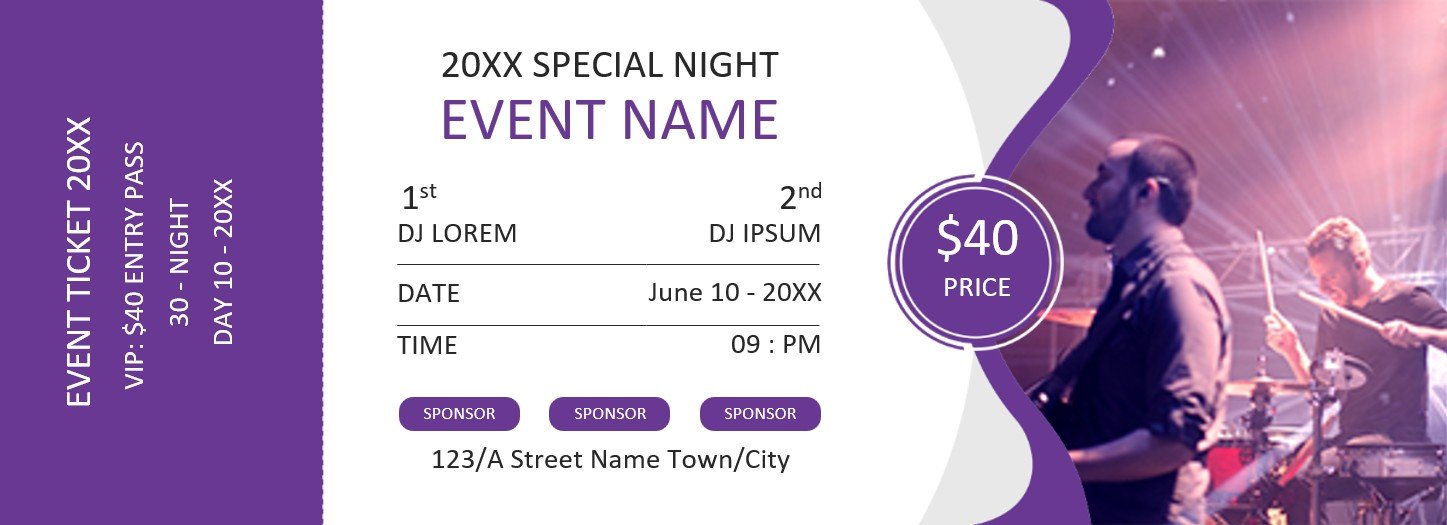
dj event ticket template word

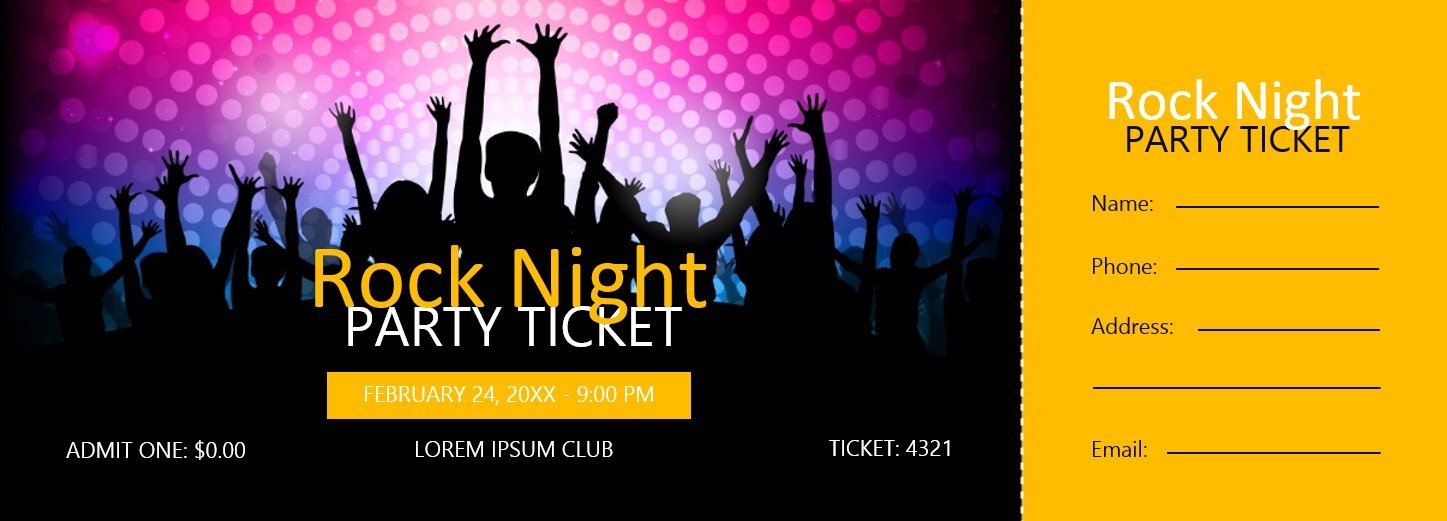
concert pass party ticket template
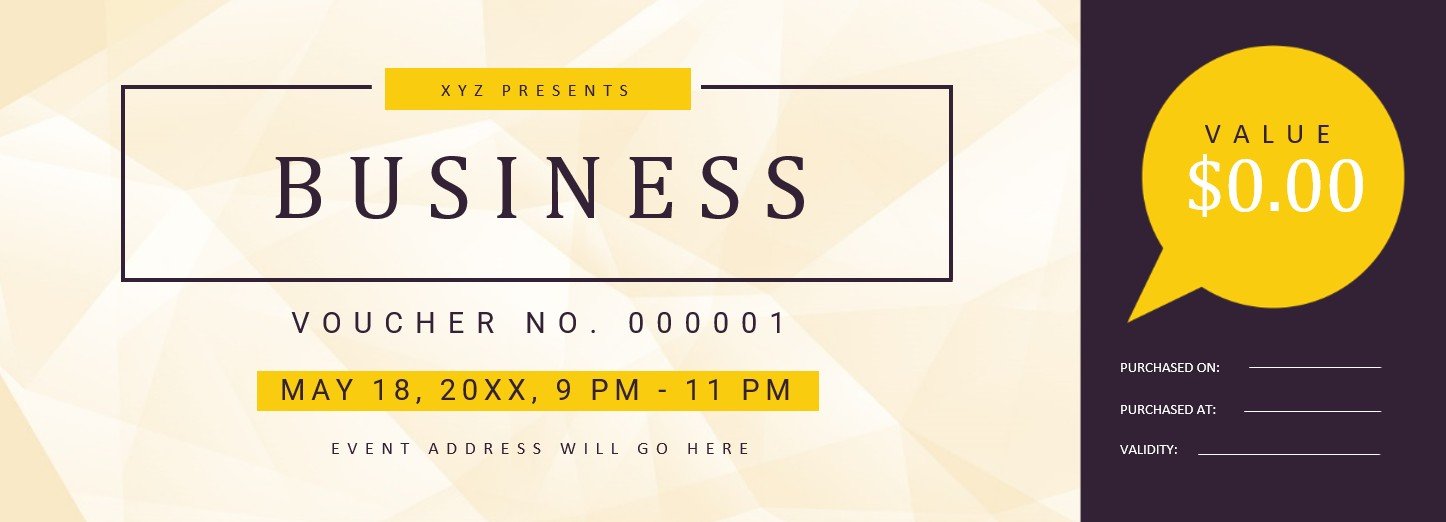
business event ticket voucher template
bowling event ticket template

boarding pass ticket wedding invitation template

FAQ’s
Is there any policy regarding a refund or exchange of my event ticket?
The policy regarding refund and exchange may vary on the basis of the event and the ticket seller. You should check with the event organizer or ticket seller for the particular policy.
Is it possible to transfer the event ticket to someone else?
It depends on the event organizer’s policy. Some may allow for ticket transfer while some may not.
What to do if I haven’t received a confirmation email or receipt?
You should contact the event organizer or ticket seller if you haven’t received a confirmation email or receipt after buying a ticket.
What to do if I lose my event ticket?
Contact the event organizer or ticket seller to get a replacement ticket or obtain other instructions on how to access the event.
