
An electrical panel schedule is the written record of what every circuit in a panel feeds, which breaker protects it, and how much load it carries. Without one, finding the right breaker means tracing wires or switching circuits off one by one. With one, the answer is on the door of the panel, in plain rows that anyone can read.
On this page you can download 13 free fillable electrical panel schedule templates in Excel and Word, including single-phase, 3-phase, residential, and commercial circuit layouts. Below them is a sample layout you can copy, a guide to what every schedule should show, and steps for building one for your own panel.
Sample Electrical Panel Schedule Layout
Copy this sample layout into Excel or Word, change the panel details and circuit rows to match your own panel, and keep the finished schedule fixed to the panel door.
Panel: LP-1, Lighting and General Power
Location: Main Electrical Room
Supply: 120/208V, 3-Phase, 4-Wire
Main Breaker: 200A
Supply From: MDP-1
| Ckt | Circuit Description | Breaker | Phase A (VA) | Phase B (VA) | Phase C (VA) |
|---|---|---|---|---|---|
| 1 | Reception and Lobby Lighting | 1-pole 20A | 1,200 | – | – |
| 2 | Server Room Outlets | 1-pole 20A | 1,440 | – | – |
| 3 | Conference Room Receptacles | 1-pole 20A | – | 1,080 | – |
| 4 | Split AC Unit #1 | 2-pole 30A | – | 3,600 | – |
| 5 | Break Room Microwave and Fridge | 1-pole 20A | – | – | 1,500 |
| 6 | SPARE | 1-pole 20A | – | – | 0 |
| 7 | Exterior Signage Lighting | 1-pole 15A | 720 | – | – |
| 8 | SPACE (Unused) | – | – | – | – |
| Total Connected Load | 3,360 VA | 4,680 VA | 1,500 VA |
The total connected load is 9,540 VA (3,360 + 4,680 + 1,500): Phase A 1,200 + 1,440 + 720 = 3,360 VA, Phase B 1,080 + 3,600 = 4,680 VA, and Phase C 1,500 + 0 = 1,500 VA. This sample is unbalanced by design, with Phase C lightly loaded. A real schedule should balance the phases.
What is a panelboard schedule?
A panelboard schedule, often called a panel schedule or circuit directory, is a table that lists every circuit in an electrical panelboard. Each row covers one circuit and shows what it feeds, the size and type of its breaker, and the load connected to it. In a three-phase panel it also shows which phase each circuit sits on.
The schedule is usually fixed to the inside of the panel door, and a copy is kept with the building electrical records. When the wiring changes, the schedule changes with it, so the record always matches the panel.
Why Is a Panel Schedule Important?
A panel schedule matters because it turns a box of breakers into a readable map. When a circuit trips, the schedule shows which rooms and equipment lose power and which breaker to reset. When an electrician adds a circuit, it shows which spaces are free and how much load each phase already carries.
It also matters for safety. A clear schedule helps the building meet the safety standards set by OSHA (Occupational Safety and Health Administration), and it supports safe isolation of circuits before maintenance work starts. Inspectors rely on it too: a panel with a missing or out-of-date schedule is a common finding during an electrical inspection.
What information does a panel board schedule show?
A good panel board schedule shows the panel itself first, then every circuit in it. The panel header should state the panel name, its location, the voltage and phase, the main breaker size, and the source it is fed from. Without it, a loose schedule could belong to any panel in the building.
Each circuit row should show the circuit number, load description, breaker size and poles, and volt-amperes. In a three-phase panel, the load sits in the column for its phase, so the phase totals can be added up at the foot of the table. Spare breakers are marked SPARE, and empty positions are marked SPACE.
- Panel details: panel name, location, voltage, phase, main breaker size, and supply source.
- Circuit number: the number printed on the panel, matched to the breaker position.
- Load description: a plain name for what the circuit feeds, such as Reception Lighting.
- Breaker size and poles: the amperage and whether the breaker is 1-pole, 2-pole, or 3-pole.
- Load in volt-amperes: the connected load, placed in the column for its phase.
- Spare and space: SPARE for an installed breaker with no load, SPACE for an empty position.
What are the different types of electrical panel schedule templates?
Panel schedule templates differ by phase, by building type, and by what else they record. Pick the template that matches your supply and your load.
A single-phase schedule has one load column, since every circuit sits on the same phase. It suits a small home panel or a single-phase subpanel. A three-phase schedule has three load columns, one per phase, so loads can be spread evenly and the phase totals compared at the foot of the table. Use it for a commercial panel or a larger three-phase service.
A residential schedule groups circuits by room and by use, such as kitchen outlets, lighting, and heating. A commercial schedule covers larger loads, such as HVAC units and signage, and it often adds a load calculation. A lighting fixture schedule lists fixtures by type and wattage, and it works best as a companion to the panel schedule, so the lighting load on each circuit can be traced back to the fixtures it feeds.
Some templates are fillable Excel sheets, which suit a panel that changes often, while Word templates suit a schedule that is printed once and fixed to the panel door.
Download any of the 13 free templates below. The Word files open in Microsoft Word or Google Docs, and the Excel files open in Microsoft Excel or Google Sheets. Each one is blank and fillable.
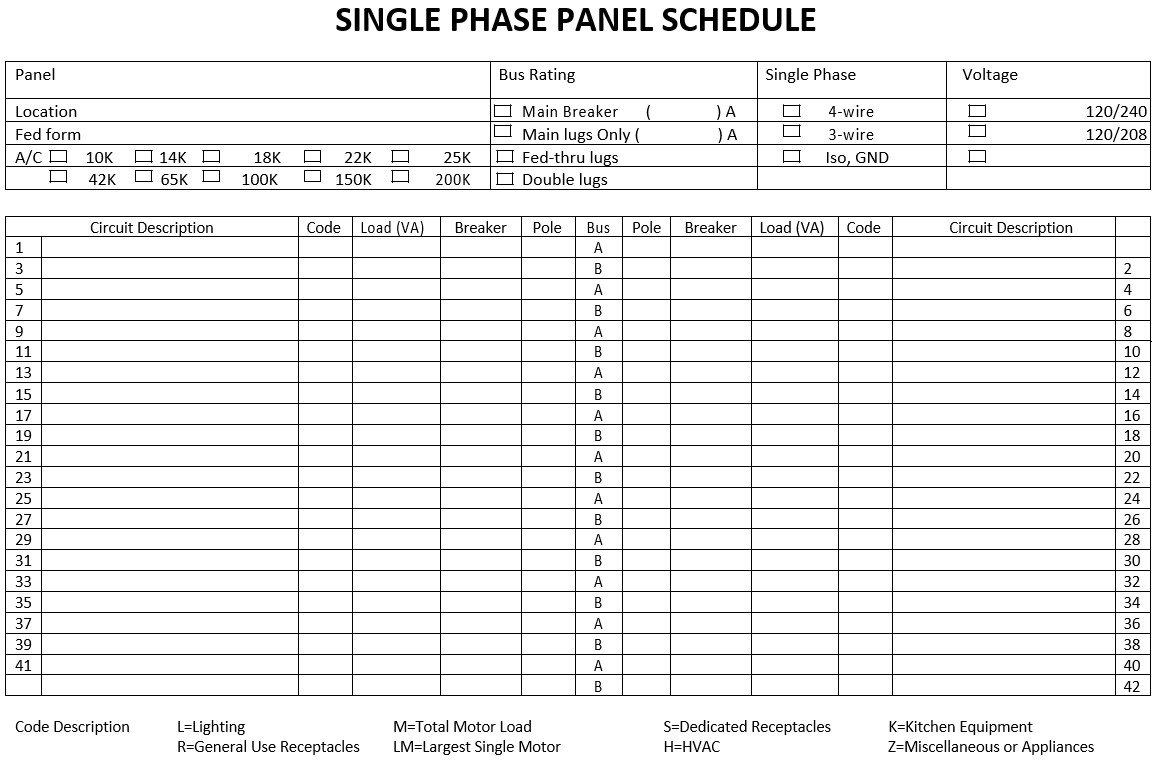
Single-Phase Panel Schedule Template
A Word template for a single-phase panel, with rows for circuit number, load description, breaker size, and volt-amperes. Use it for a small home panel or a subpanel.
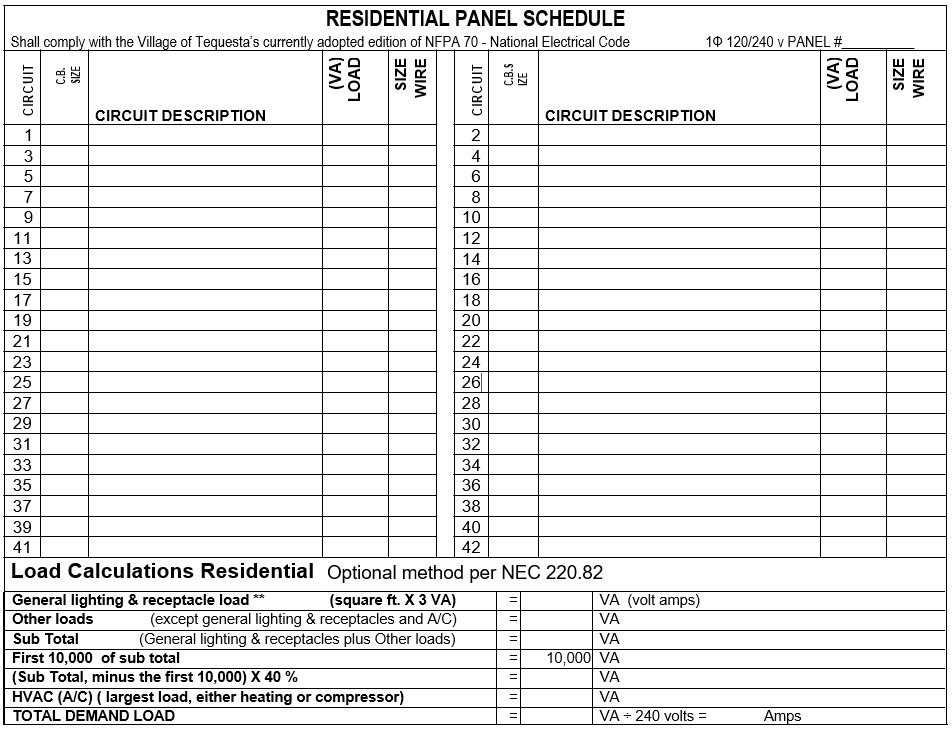
Residential Panel Schedule Template
A Word template laid out for a home panel, with room-by-room circuits such as kitchen outlets, lighting, and HVAC. Fill in each breaker and load so anyone can find the right circuit fast.
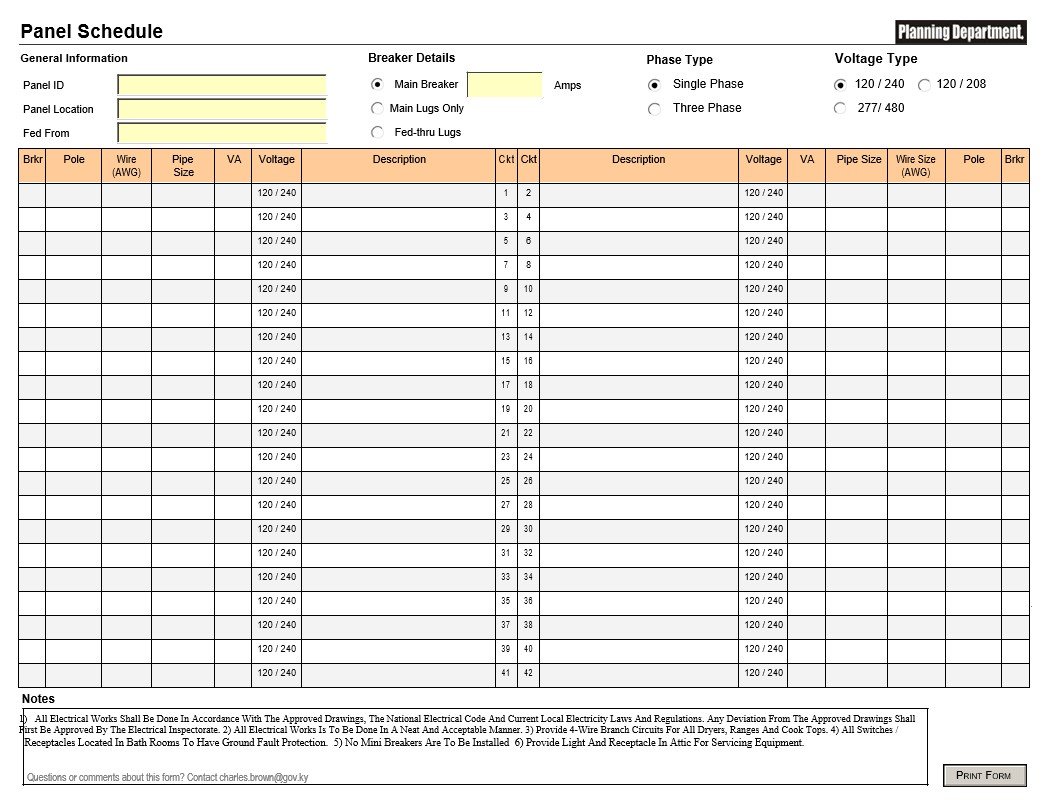
Panel Schedule Template
A general Word panel schedule with a full circuit directory, breaker columns, and load columns. A good starting point when you need a clean blank schedule.
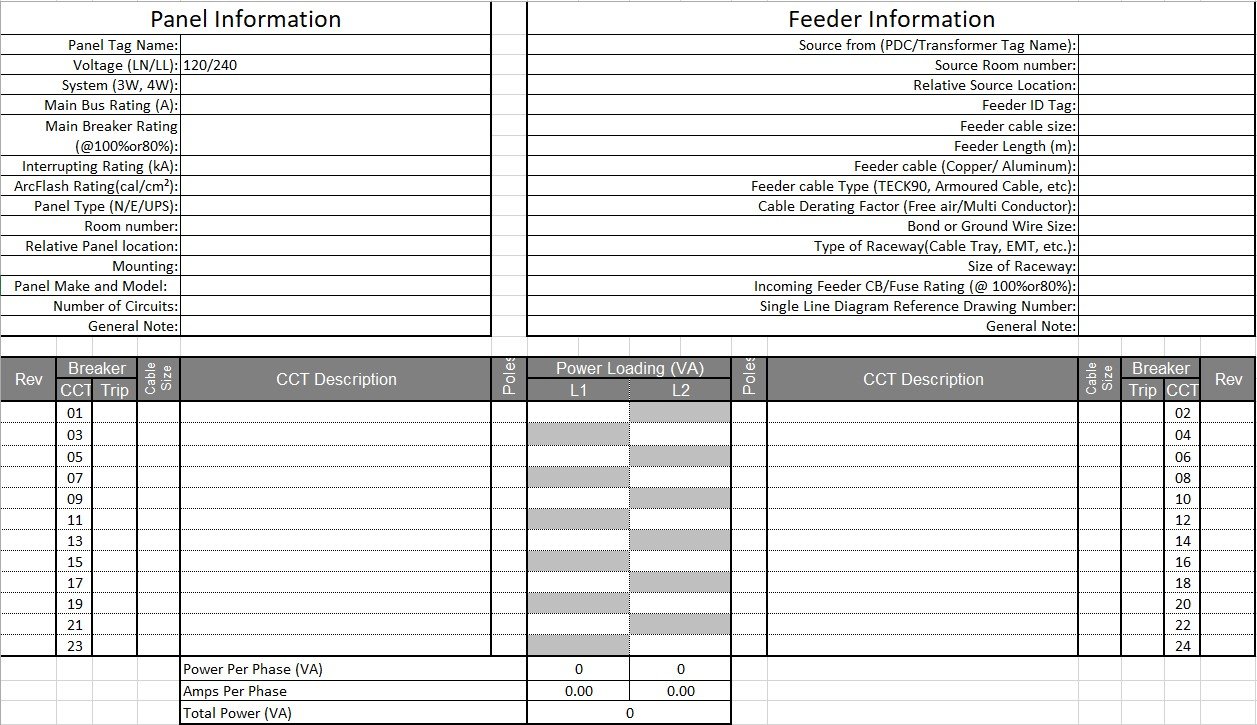
Panel Schedule Template Excel
An Excel version of the panel schedule, with a spreadsheet grid you can sort, filter, and total. Use the phase columns to add up loads per phase.
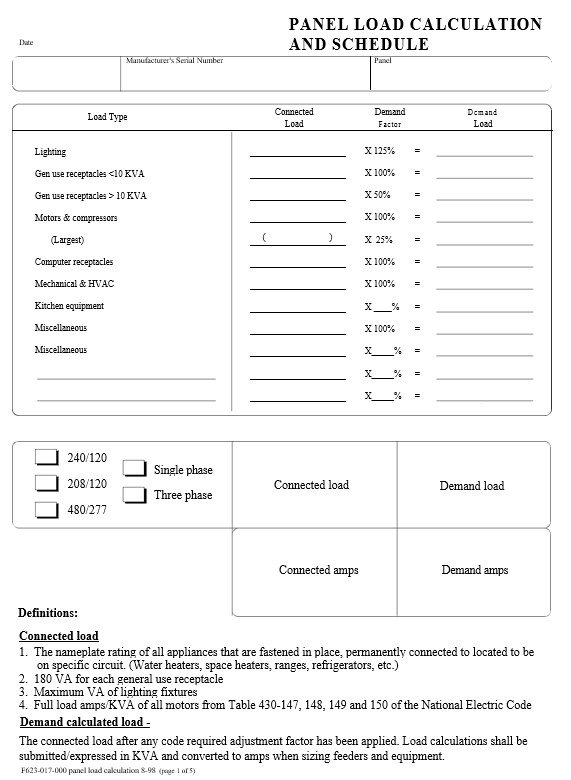
Panel Load Calculation and Schedule Template
A Word template that pairs the circuit schedule with a load calculation, so connected loads and demand are shown together. Use it to show how the total load was worked out.
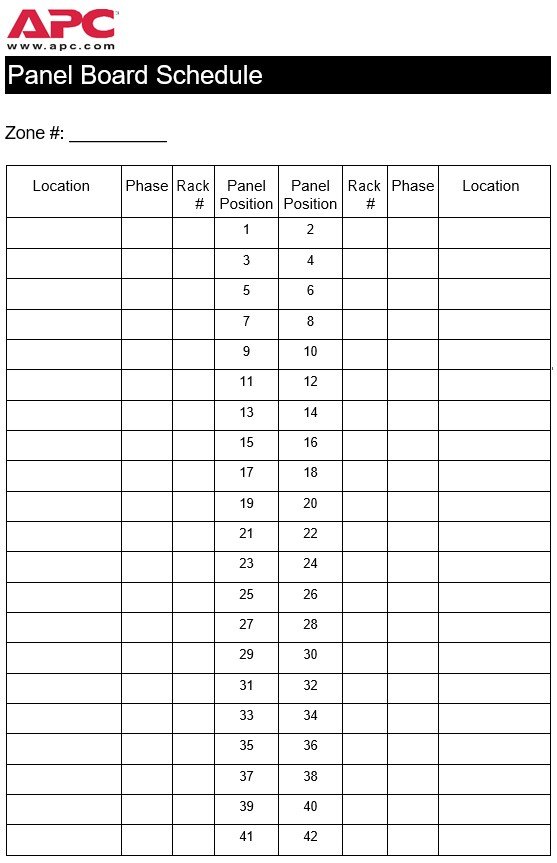
Panel Board Schedule Template
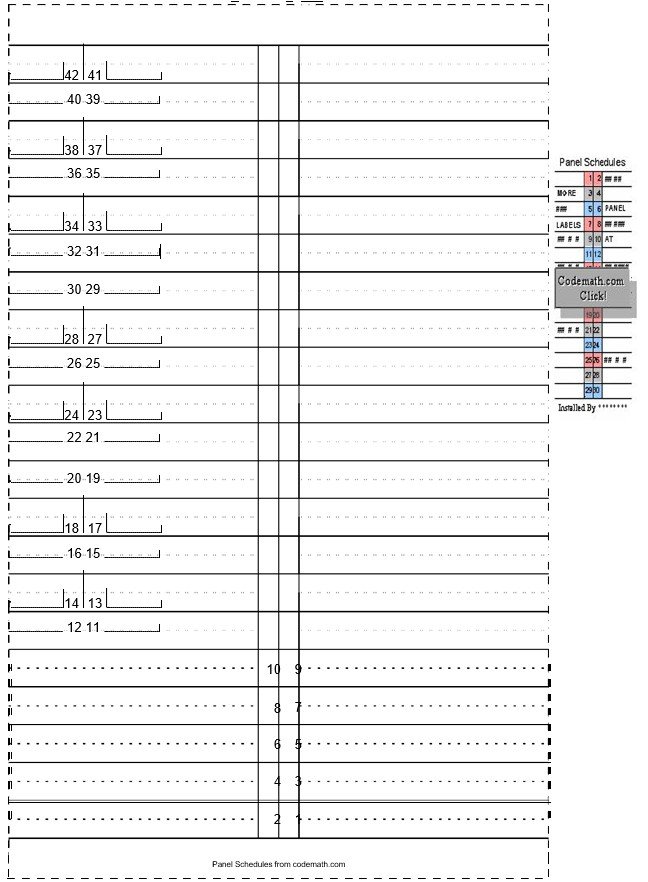
A Word template for a panel board directory, with a two-column circuit layout and space for breaker poles and amperage. Suits a commercial panel board.
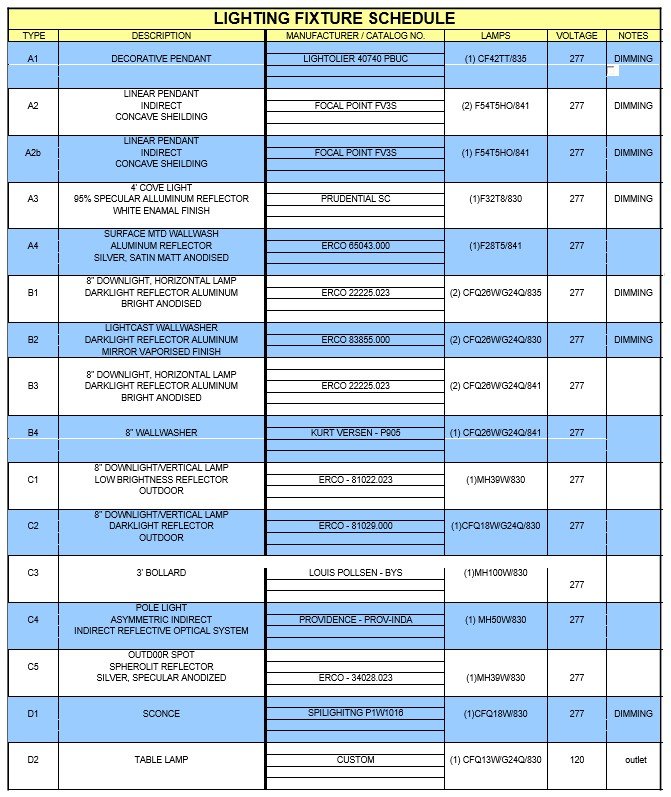
Lighting Fixture Schedule Template
A Word template for listing lighting fixtures by type, quantity, wattage, and location. Pair it with your panel schedule to trace each lighting load to its fixtures.
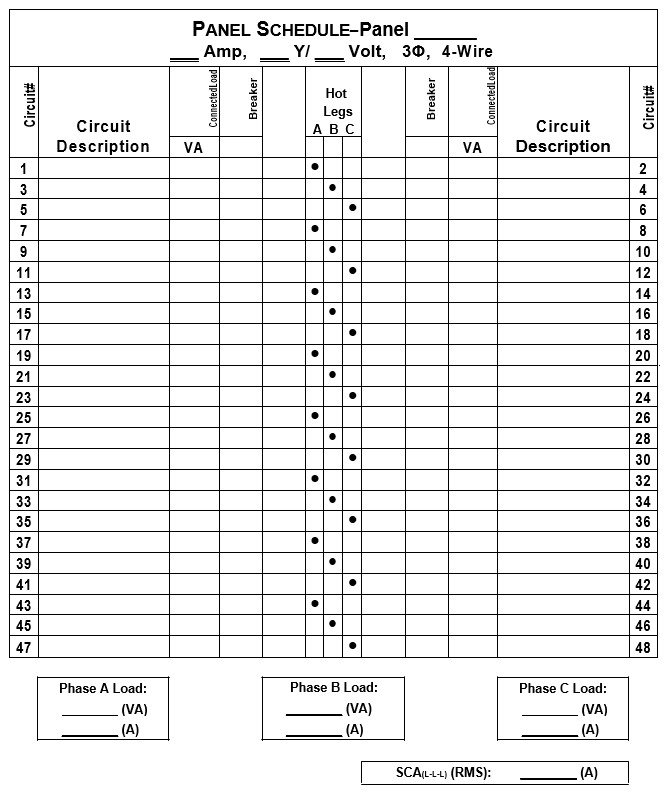
Free Panel Schedule Template Word
A free blank Word panel schedule with empty circuit rows for breaker size, load description, and volt-amperes. Print it and fill it in by hand, or type into it and keep the finished copy with the panel.
Fillable Panel Schedule Template
A fillable Excel panel schedule with editable circuit rows, breaker and phase columns, and load columns. Type the loads in and let the totals update as you add or move circuits.
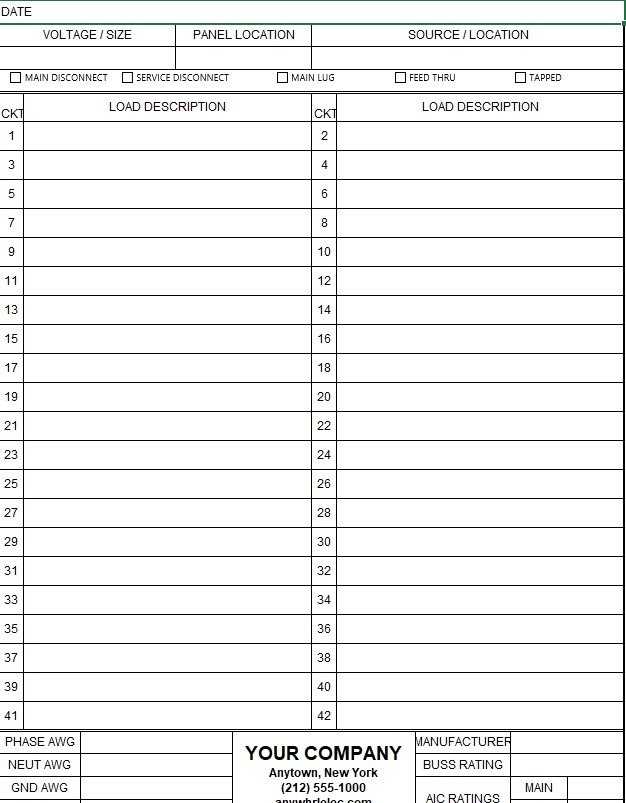
Electrical Panel Schedule
A Word electrical panel schedule with circuit numbers, load names, breaker sizes, and phase assignments. A simple all-purpose schedule for a home or small commercial panel.
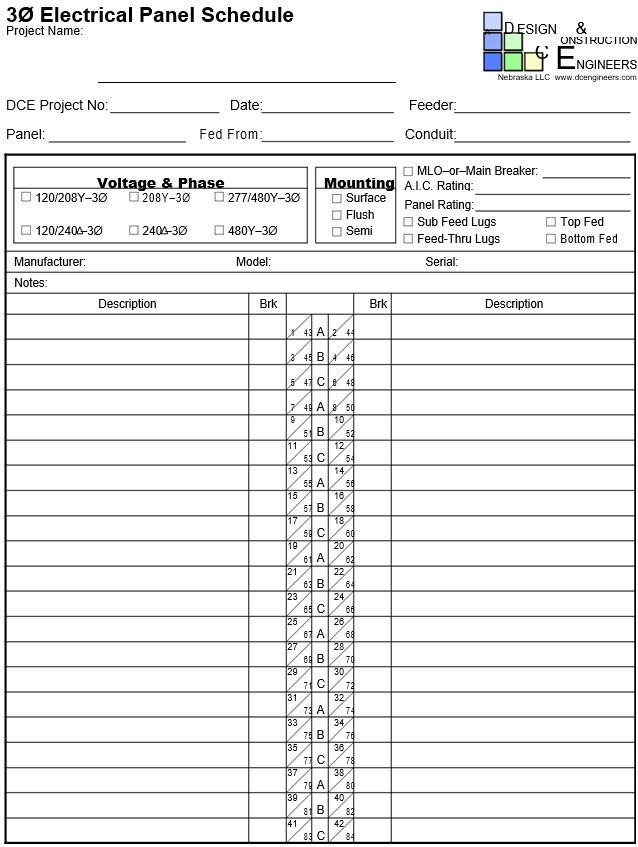
Electric Panel Schedule Template
A Word template with a circuit directory, breaker ratings, and connected load columns for each circuit. Use it when the main template layout does not fit your panel.
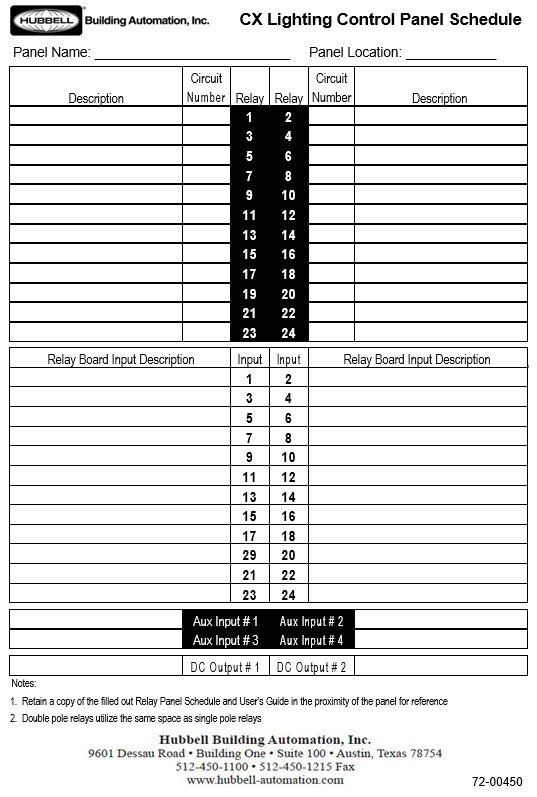
CX Lighting Control Panel Schedule Template
A Word template for a CX lighting control panel, with control zones, panel circuits, and load details. Use it where lighting circuits run through a control panel.
3-Phase Electrical Panel Schedule Template
A Word template for a three-phase panel, with separate Phase A, Phase B, and Phase C load columns. Use it to spread loads across the three phases.
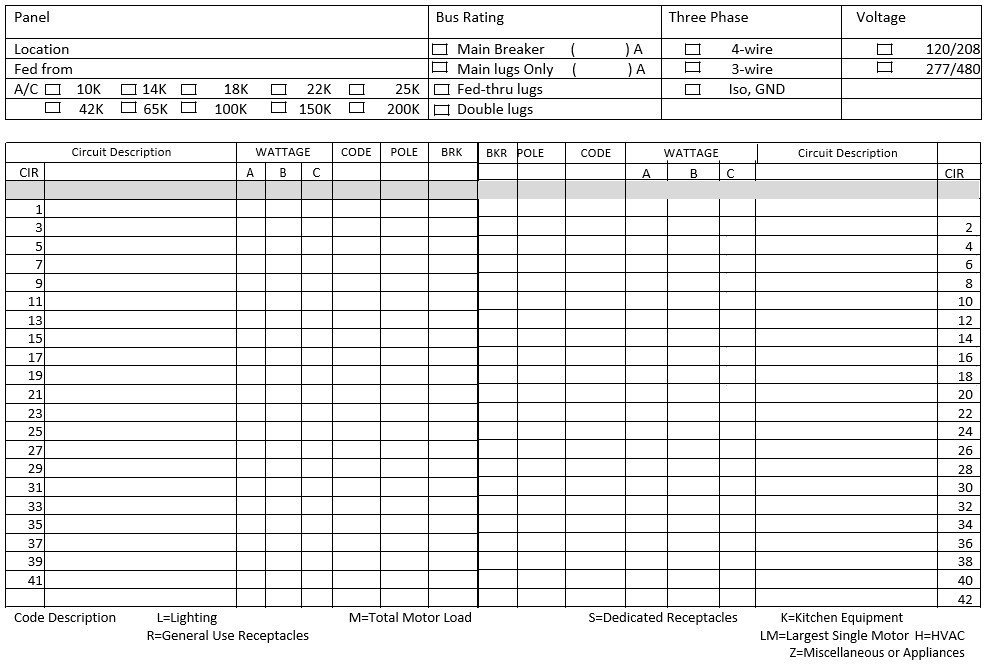
How to create a panel schedule?
Start with the panel itself. Note the panel name, its location, the voltage and phase, the main breaker size, and the panel it is fed from. That header goes at the top of the schedule.
Next, work from the load list and the circuit directory, not from a count of fittings. List every load the panel feeds and match each one to the breaker that protects it. Counting sockets and switches will not give you the load, because one socket circuit can feed several outlets, and one switch can control several lights. Take the load for each circuit from the equipment it feeds and its rating in volt-amperes, using the load list, the nameplate, or the design calculation.
Write one row per circuit, with the circuit number, load description, breaker size and poles, and the load in volt-amperes in its phase column. Mark installed breakers with no load as SPARE and empty positions as SPACE. Add the phase totals at the foot of the table. If one phase carries far more than the others, move a circuit to a lighter phase and re-total.
Finally, check the schedule against the panel. Walk through the breakers, confirm that each number, description, and load matches what is actually wired, and fix anything that does not. Print the finished schedule, fix it to the panel door, and keep a copy with the building records. Update it whenever a circuit is added, moved, or removed.
The benefits of the panel schedule:
A panel schedule saves time on every job that touches the panel. An electrician can find the right breaker in seconds, a facility manager can see which circuits are free before planning new work, and a homeowner can reset a tripped breaker without switching off half the house.
It also protects the panel from overload. When the loads are listed by phase, the totals show whether one phase is carrying too much and whether the panel still has room for a new circuit. That check costs nothing at the desk, and it can stop a breaker from tripping under load.
Over the life of a building, the schedule records how the electrical system grew. Each change is written down, so the next electrician does not start from scratch.
Panel Schedule Safety, NEC 408.4, and Phase Balancing in Excel
Under NEC 408.4, every circuit in a panelboard must be clearly and permanently identified in the circuit directory, so the description for each breaker matches the load it actually feeds. Labels should be legible and updated the same day a circuit changes. A faded label, a wrong description, or a blank row can fail an inspection and can put the next person who opens the panel at risk.
OSHA lockout and tagout rules add a second layer of safety. Before work starts, the breaker is switched off, locked off, and tagged so no one can switch it back on. The panel schedule shows which breaker to lock out, but it is not a substitute for testing that the circuit is dead before touching it.
In Excel, phase balancing is a simple sum. If the Phase A loads sit in column D, rows 2 to 9, the Phase A total is =SUM(D2:D9). The Phase B total is =SUM(E2:E9) and the Phase C total is =SUM(F2:F9). For a longer directory, extend the range, for example =SUM(B2:B20) applied to the phase volt-ampere column. Add the three phase totals with =SUM(D10:F10) to get the total connected load. If one phase is far above the others, move a single-phase circuit to a lighter phase and re-total until the phases sit close together.
Frequently Asked Questions
What is the purpose of a panel schedule?
A panel schedule records every circuit in an electrical panel, including its load, breaker size, and phase. It gives electricians, inspectors, and facility staff one clear reference for the panel, so they can find a circuit and check its load without tracing wires by hand.
Who can use panel schedules?
Electricians use panel schedules during installation, testing, and repair work. Building owners, facility managers, and inspectors use them to check loads, plan changes, and confirm that circuits are labeled correctly. Homeowners can also use a simple residential schedule to find the right breaker before resetting a tripped circuit.
How often should you update panel schedules?
Update a panel schedule every time a circuit changes, including a new load, a breaker replacement, a moved circuit, or a panel upgrade. Review the whole schedule at least once a year, and after any renovation or electrical inspection. An out-of-date schedule can send someone to the wrong breaker.
Why should you label the panels and circuits correctly?
Correct labels let anyone find and isolate the right circuit in seconds, which matters during a fault or an emergency. Wrong or missing labels can lead to work on a live circuit, a tripped breaker on the wrong load, or a failed inspection. Under NEC 408.4, every circuit must be identified in the panel directory.
What should be included in a panel schedule template?
A complete template should show the panel name and location, voltage and phase, main breaker size, and supply source. Each circuit row should list the circuit number, load description, breaker size and poles, wire size where needed, phase, and volt-amperes. Mark spare rows SPARE and unused positions SPACE.
What is the difference between spare and space in a panel schedule?
A spare is a breaker that is installed in the panel but has no load connected to it yet, so it can feed a future circuit. Space is an empty position with no breaker installed at all. That matters when you plan new circuits, because only a spare gives you a breaker ready to use.
Are panel schedules necessary for residential buildings?
Yes, a residential panel schedule is worth having in every home, even though a small house may have only a few circuits. It helps the homeowner find the right breaker fast, helps an electrician work safely, and gives a buyer or inspector a clear record of what each circuit feeds.
