Lessons learned template is used to reflect both the positive and negative experiences of others. They are best for the team, organization, existing and future projects. However, writing the lessons learned in the document is the common part of any project. This is because it serves various purposes.
Table of Contents
What Is a Lessons Learned Template?
A lessons learned template is a structured way to document insights gained from a project, task, or experience. It captures both successes and failures, turning them into valuable knowledge for future use.
Instead of relying on memory or scattered notes, this template gives you a consistent format to reflect on your work. It helps answer key questions like:
- What worked well and should be repeated?
- What didn’t go as planned?
- Why did certain issues happen?
- How can we improve next time?
In simple terms, it transforms experience into a reusable asset.
Whether you’re part of a team or working independently, this template ensures that no important learning is lost.
Why Lessons Learned Matter More Than You Think
Most people skip reflection because they’re too busy moving forward. But skipping this step is like running in circles—you keep repeating the same patterns without realizing it.
Lessons learned matter because they:
- Prevent repeated mistakes: When you document problems and their causes, you avoid falling into the same traps again.
- Improve efficiency: Future projects benefit from past insights, saving time and effort.
- Strengthen decision-making: You make better choices when you have real experiences to refer to.
- Encourage growth: Reflection builds awareness, and awareness leads to improvement.
Over time, this habit creates a powerful advantage. Instead of starting from scratch every time, you build on what you already know.
Why Lessons Learned Are Crucial?
Here are the most significant reasons that why you should make your own project lessons learned;
- The first and foremost reason for lessons learned is that it’s a helpful tool when you have similar projects. Examples of the lessons learned must explain the things that were wrong in the project. Moreover, it all describes the aspects of a project that went well.
- Lessons learned can send to the project management office and the project sponsor so that they could be included in the archives and the assets of the company. You can also send it to some other means of communication if the company doesn’t have PMO. Hence, in this way, lessons learned help to ensure the inclusion of all project managers.
- Most importantly, they collect the lessons learned in a project into an official document. So, they can be sent to other project managers assigned to similar projects in the future. Furthermore, with the help of lessons learned, you can identify the problems, their solutions, and how to avoid them in the future. You may also like the Assignment Cover Page Template.
Key Components of an Effective Lessons Learned Template
A good template isn’t complicated—it’s thoughtful. Each section serves a purpose and helps you dig deeper into your experience.
Project Overview
This section sets the context. Without it, your insights may not make sense later.
Include details such as the project name, timeline, objectives, and team members involved. This helps anyone reviewing the document understand what the project was about and what it aimed to achieve.
Think of it as the background story that gives meaning to everything else.
What Went Well
This is where you highlight successes. Many people overlook this part, but it’s just as important as identifying mistakes.
Documenting what went well helps you recognize effective strategies, tools, or decisions that contributed to success. These are the things you want to repeat in future projects.
For example, strong communication, clear planning, or efficient tools may have played a role. Writing them down ensures they become part of your standard approach.
What Didn’t Go Well
This section focuses on challenges and shortcomings. It’s important to approach this with honesty but without blame.
Instead of pointing fingers, focus on identifying what didn’t work and how it affected the outcome. This could include missed deadlines, unclear requirements, lack of coordination, or unexpected obstacles.
The goal here is not criticism—it’s clarity.
Root Cause Analysis
This is one of the most critical sections, yet often the most overlooked.
Instead of stopping at identifying problems, you dig deeper to understand why they happened. This step transforms observations into meaningful insights.
For example, if a deadline was missed, ask:
- Was the timeline unrealistic?
- Was communication unclear?
- Were resources insufficient?
By identifying the root cause, you address the real issue—not just the symptoms.
Lessons Learned
This is where everything comes together.
In this section, you convert your observations into clear, actionable insights. These lessons should guide future behavior and decision-making.
For example:
- Always define project scope clearly before starting
- Schedule regular progress check-ins
- Allocate extra time for testing and revisions
These statements should be practical and easy to apply.
Action Items
Lessons without action don’t lead to improvement.
This section turns insights into specific steps that can be implemented in future work. Each action item should be clear, measurable, and assigned to someone responsible.
For example:
- Create a project checklist before kickoff
- Assign a dedicated reviewer for quality checks
- Set milestone deadlines with buffer time
This ensures that lessons are not just remembered—but applied.
Recommendations for Future Projects
This section looks beyond the current project and provides guidance for future efforts.
Here, you can summarize key advice, best practices, or strategies that should be followed moving forward. It’s especially useful for teams or organizations where knowledge is shared across projects.
Think of it as writing advice for your future self or someone stepping into your role.
How do you create lessons learned template?
Let us discuss step-by-step how to create lessons learned template;
Step#1:
At first, define your project. You have to identify the lessons learned. Also, establish the purpose and need of the lessons. Moreover, consult with the persons who have specific knowledge to work on the lessons learned document.
Step#2:
Secondly, gather information via structured or unstructured processes such as project critiques, meetings, and written forms. Also, you can find many resources from where you can collect data for lessons learned template. However, you can include both positive and negative experiences in the lessons.
Step#3:
Next, to ensure the applicability and accuracy of submitted lessons verify them. This includes the matter and domain expert to search out either the lesson has the following things or not; You should also check the Student id Card Template.
- Connection with other projects
- In a specific department unique qualities
- To the whole organization applicable characteristics.
Step#4:
The next step is storage. This includes the incorporation of lessons into a shared database for the purpose of future circulation and sharing. Moreover, you should store data in such a way that the users easily identify and find the lessons with help of keywords.
Step#5:
In the end, dissemination of lessons learned is the final step. This process might contain the work process, routine distribution, and training.
Tips to Make Your Lessons Learned Process Effective
To make the most of your lessons learned template, consistency is key.
Document insights soon after completing a project while details are still fresh. Encourage open and honest discussions so everyone can contribute meaningful input.
Keep the process simple and focused. Overcomplicating it can discourage participation.
Most importantly, revisit your lessons regularly. Use them as a reference when planning new projects so past insights actively shape future outcomes.
When Should You Use a Lessons Learned Template?
You don’t need to wait for a major project to use a lessons learned template. In fact, the more frequently you use it, the more valuable it becomes.
You can apply it in situations like:
- After completing a project
- At the end of a sprint or milestone
- Following a product launch or campaign
- After solving a major problem
- Even after personal goals or experiments
The best approach is to treat it as a regular habit rather than a one-time activity. The closer you document your insights to the actual experience, the more accurate and useful they will be.
Free Lessons Learned Template

Lesson Learned Checklist Template
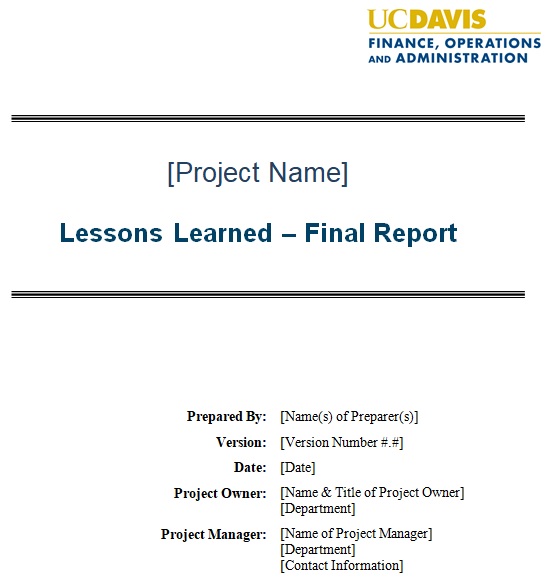
Lessons Learned Final Report Template
Lessons Learned Framework Concept Template

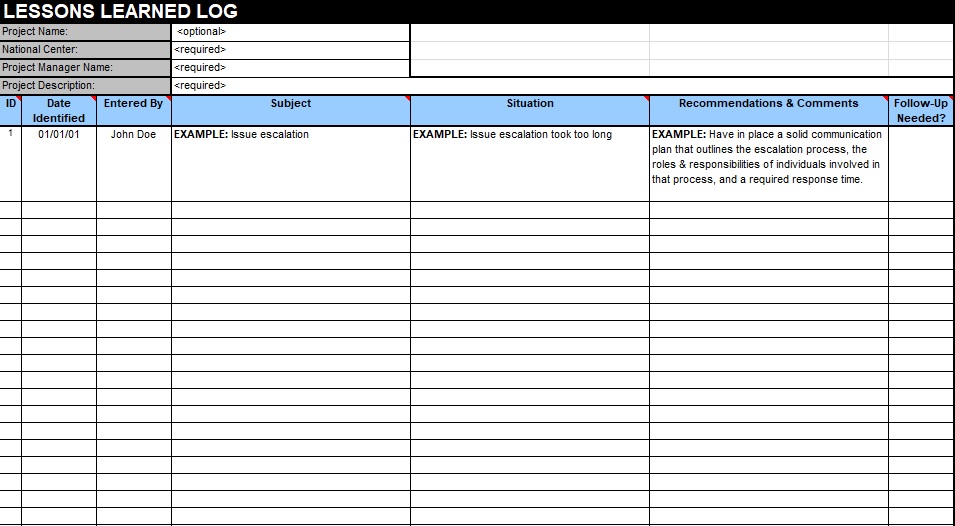
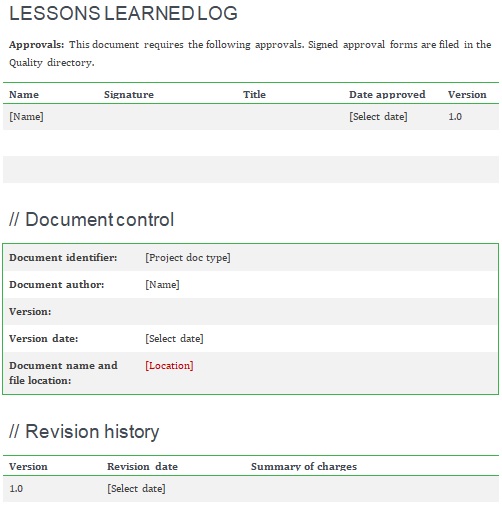
Lessons Learned Log Template
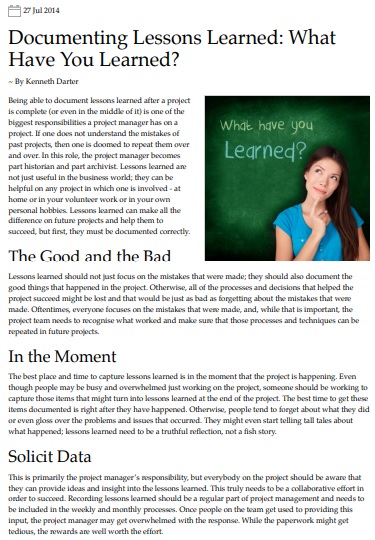
Lessons Learned Report Template
Lessons Learned Tracking Sheet
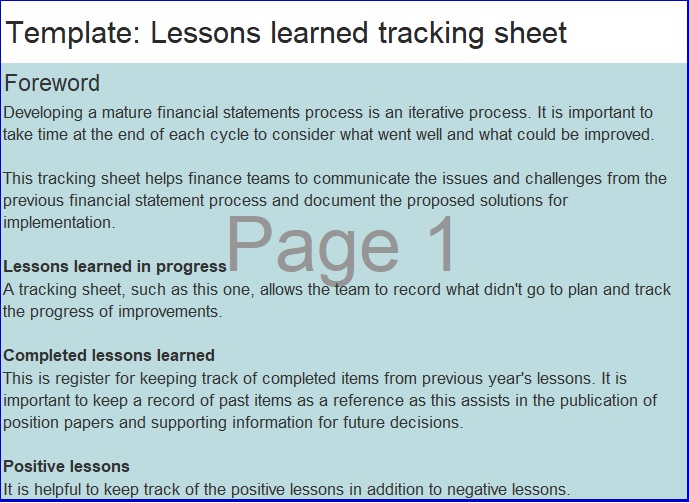
Lessons Learned Workshop Agenda Template

Office of Science Project Lessons Learned Template
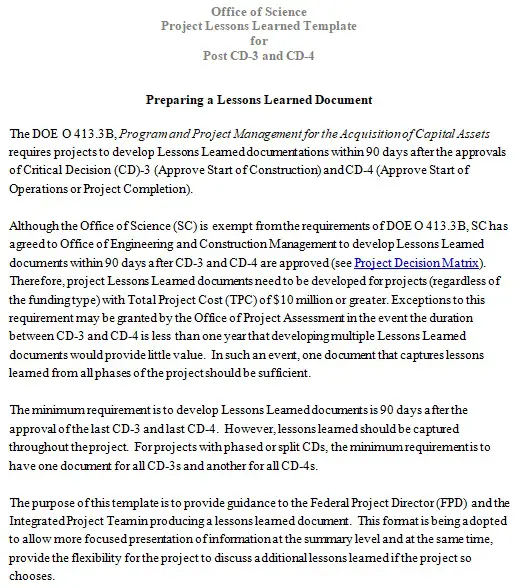
Project Lessons Learning Template

Lessons learned register:
Every project has a document to track the knowledge needed during the project that is used in the existing project is then entered in the lessons learned register for future reference. You may also see Rubric Template.
Benefits of Using a Lessons Learned Template
When used consistently, this simple practice delivers powerful results.
You’ll notice improved efficiency, fewer repeated mistakes, and better planning. Teams become more aligned, communication improves, and decision-making becomes more informed.
Over time, it creates a culture of continuous improvement where every experience contributes to growth.
In conclusion, the lessons learned template helps you to communicate in a more effective way and makes sure all the useful information gets included in work processes.
Frequently Asked Questions (FAQs)
What is a lessons learned template used for?
It is used to document insights, successes, and mistakes from completed work so future projects can benefit from those experiences.
When should you complete a lessons learned report?
Ideally, it should be completed immediately after finishing a project or milestone while the details are still fresh.
Who should participate in lessons learned sessions?
Everyone involved in the project should contribute, including team members, managers, and stakeholders.
How can you ensure lessons learned are implemented?
By assigning clear action items, tracking progress, and integrating lessons into future planning.
Are lessons learned useful for small projects?
Yes, even small tasks can provide valuable insights that improve future performance.
What makes a lessons learned process effective?
Consistency, honesty, clear documentation, and turning insights into actionable steps make the process effective.