A company uses a sales commission calculator template excel to calculate the sales commission that they have to pay to its employees. Sales commission is an additional income given to sales workers for completing the sale transaction. It is usually awarded to promote sales of a company.
Furthermore, a sales commission calculator excel contains predefined formulas, automated cells, and calculations that help you to calculate commission easily. You get your desired output just by defining the criteria and conditions. Thus, you don’t have to calculate the commission manually.
Table of Contents
Calculating Sales Commission:
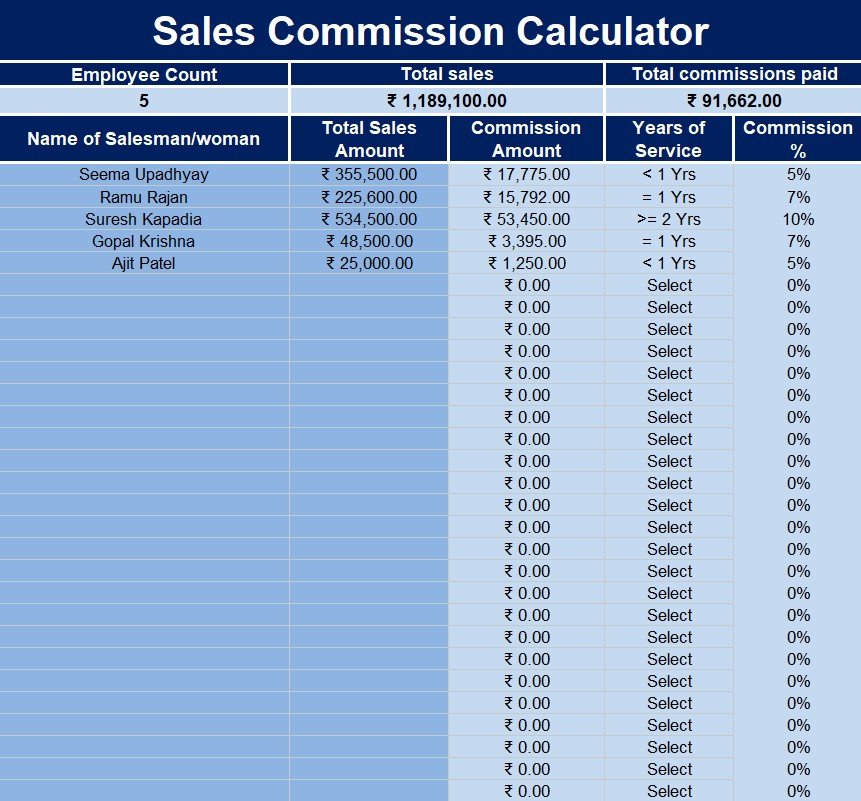
A sales commission calculator spreadsheet contains the following columns;
- Employee name: In a separate row, enter the name of each employee.
- Total sales amount: enter the total amount of sales made by each employee for a specific period.
- Commission percentage or commission rate: specify the commission percentage that is assigned to each employee for making the specified sales amount.
- Commission amount or payout: write the commission amount charged to each employee. Use the following formula to obtain this;
Commission amount charged = total sales amount * commission percentage
Moreover, include the total sales amount of all employees and the complete commission amount paid to them in your spreadsheet. Make sure your sales commission calculator is more detailed. You should separately calculate the sales commission for each employee transaction. Provide the following details in the document;
- The date of sale
- The legal name of the customer
- Order number
- The name of the employee
- The commission rate
Calculate the commission amount based on the following;
The proceeds received from the sale: Create an additional column named ‘proceeds’ in this case. To calculate the payout use the following formula;
Payout = proceeds * commission rate
Profit received from the sale: Create three additional columns in this case named “proceeds,” “cost,” and “profit.”
In addition, an additional spreadsheet is created to reflect the differentiation of commission rates. An employee deserves a higher commission percentage if they have worked longer for a company.
free sales commission calculator excel template
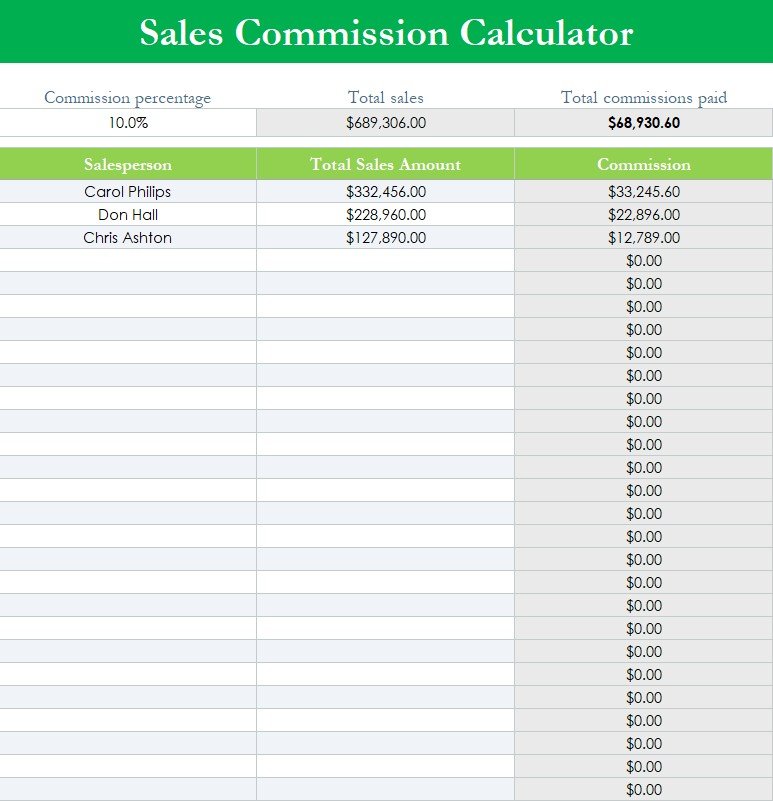
sales commission calculator excel
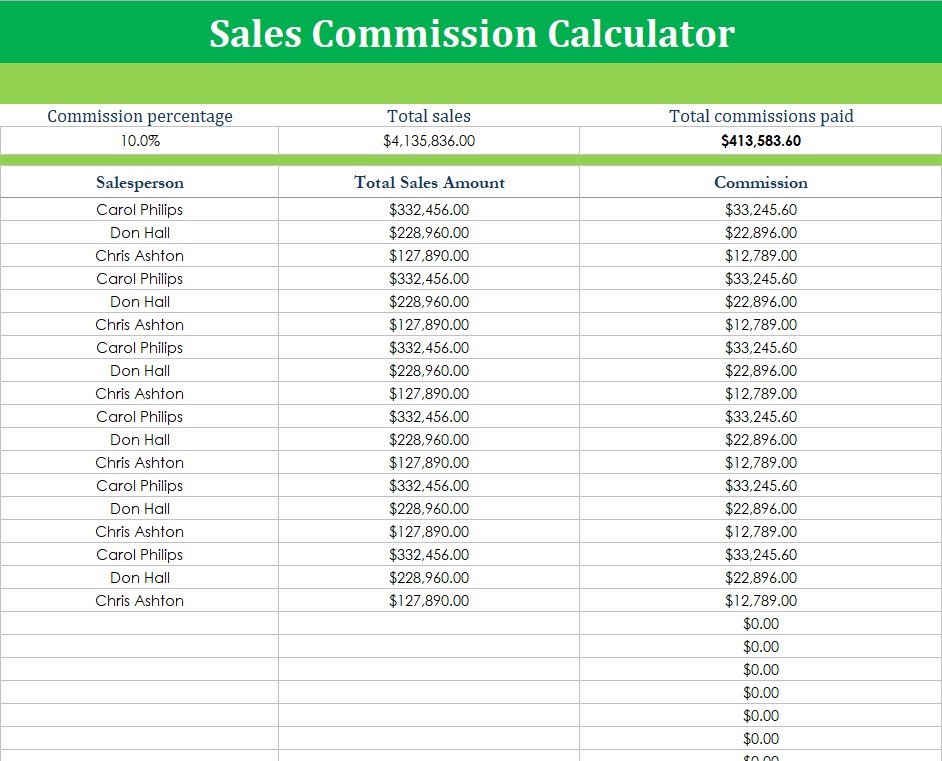
sales commission calculator template
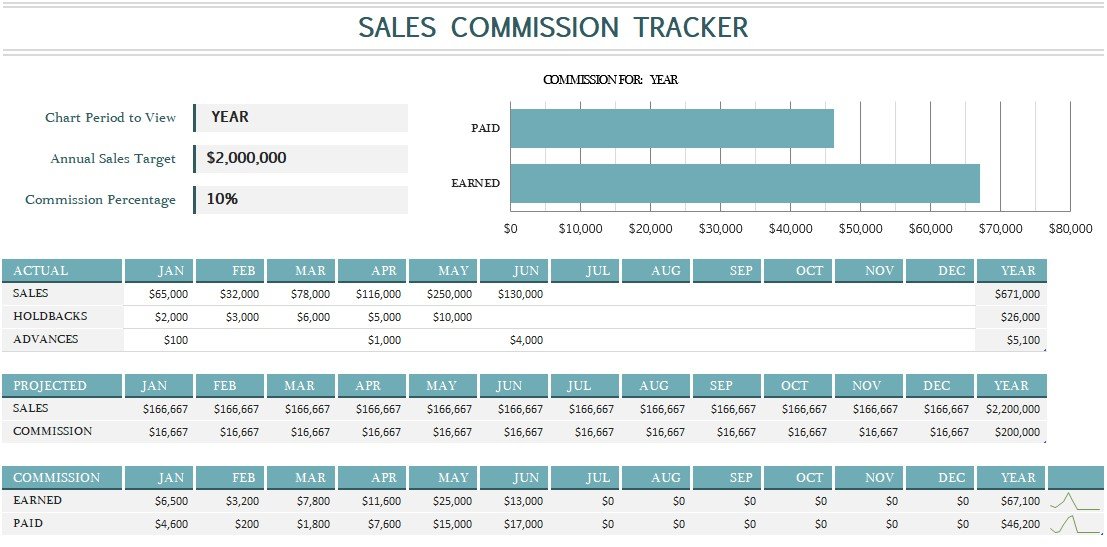
sales commission tracker template
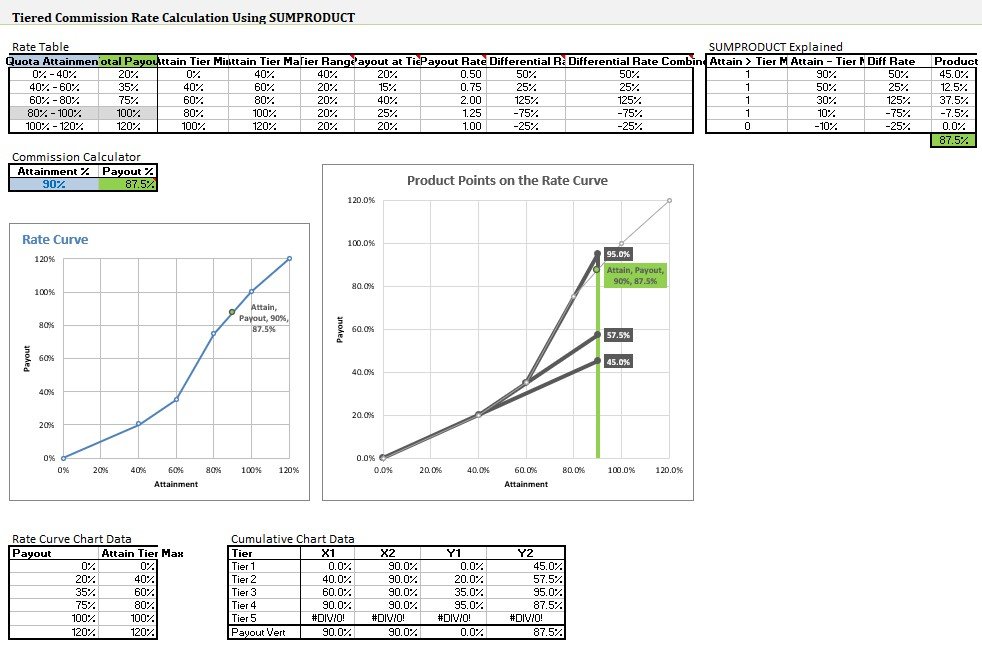
tiered commission rate calculation template
FAQ’s:
What is the formula for calculating total commission?
Use the following formula to calculate the total commission;
Commission = total sales revenue * commission rate
Who calculates sales commissions?
Accounts Payable Administrator usually calculates sales commission. However, more than one individual can process calculations, generate reports, and disburse payments.
When does the sales commission usually pay out?
It may vary from company to company but generally, it can be distributed monthly, quarterly, or yearly based on the company’s structure.
![Free Truck Lease Agreement Template [PDF]](https://exceltmp.com/wp-content/uploads/2021/06/fillable-truck-lease-agreement-template-150x150.jpg)